






| Adjusting the Color |
|
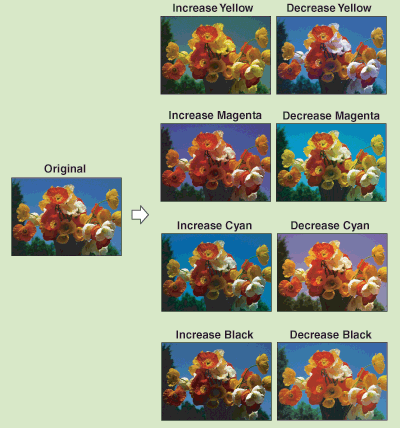
You can make fine adjustments to the color by varying the relative strength and density of yellow, magenta, cyan, and black. The color adjustments that you make can be stored and recalled for future use.
|
| Remark |
|
 |
|
||||
| Adjusting the Color Balance |
| Storing Color Balance Settings |
| Naming a Color Balance Key |
| Recalling Color Balance Settings |
| Erasing Color Balance Settings |