| |
- Select the key containing the color balance settings that you want to recall → verify the settings → press [OK].
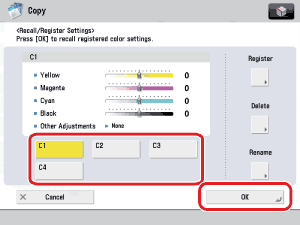
If you select a key that does not have color balance settings stored in it, [OK] is grayed out and cannot be pressed. You can select another key that has color balance settings stored in it, or press [Stop].
- Recalling color balance settings from memory cancels the current color balance settings.
- You can make changes to the recalled color balance settings.
- If you press another key, the color balance settings stored in that key are recalled.
|






