

0WR6-0RA
Check the location of the paper jam on the touch panel display, and remove it. The Booklet Finisher-X1 is optional. Optional Equipment
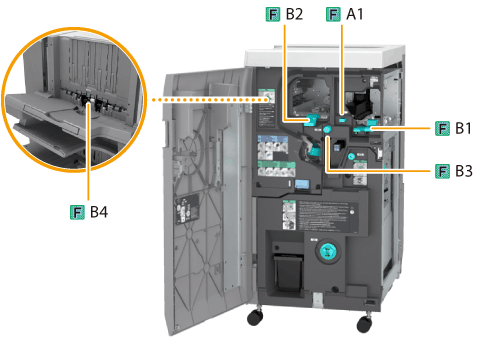
Follow the procedure described in this section to clear the paper jam. Paper jam locations are indicated by numbers such as F-A1 or F-B1, which are shown in the illustration below.
1
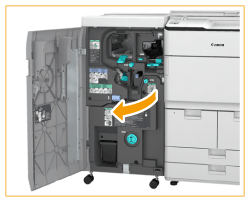
Open the front cover of the finisher.
2
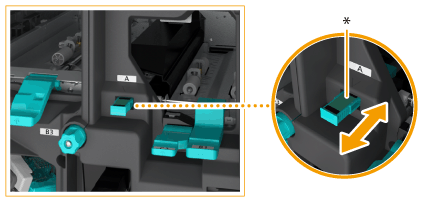
If the Puncher Unit-BF1 is attached, slide the guide (F-A1) to align it with the mark.
|
* Slide the guide in or out to align the nearest
 with the mark ( with the mark ( ). ). |
3
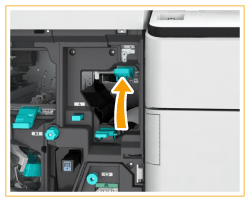
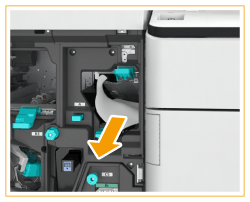
Open the guide (F-B1).
4
Remove the jammed paper.
 |
 |
Remove the jammed paper.
|
 |
Close the guide (F-B1).
|
5
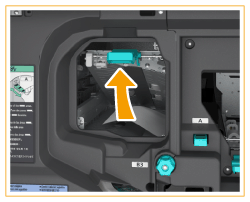
Open the guide (F-B2).
6
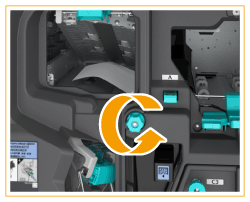
Turn the dial (F-B3) in the direction of the arrow.
7
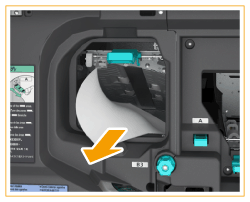
Remove the the jammed paper from the guide (F-B2).
8
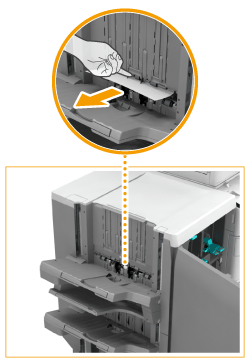
Remove the jammed paper from the guide (F-B4).
 |
|
Open the guide (F-B4).
|
|
|
Remove the jammed paper.
|
|
 |
Close the guide (F-B4).
|
9
Close the guide (F-B2).
10
Close the front cover of the finisher.
11
Follow the instructions on the touch panel display.
Resume the procedure that was interrupted.
Follow the procedure described in this section to clear the paper jam. Paper jam locations are indicated by numbers such as F-C1 or F-C2, which are shown in the illustration below.
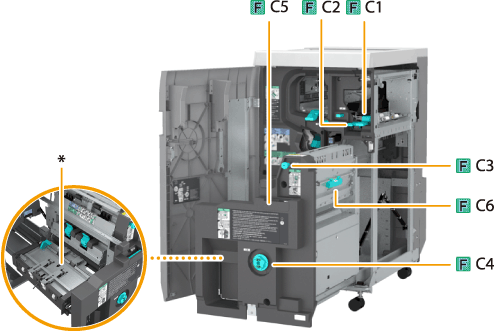
* Delivery guide
1
Open the front cover of the finisher.
2
Open the guide (F-C1).
3
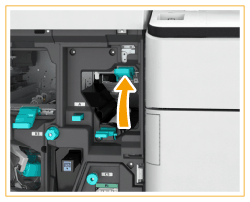
Open the guide (F-C2).
4
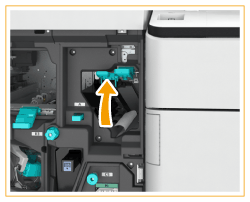
Remove the jammed paper.
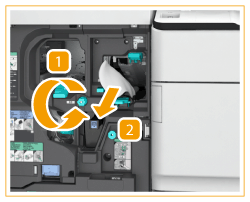 |
|
Turn the knob (F-C3) in the direction of the arrow.
Jammed paper is fed to the guide (F-C2).
|
|
|
Remove the jammed paper.
|
|
|
|
Close the guide (F-C2).
|
5
Close the guide (F-C1).
6
While pushing in the dial (F-C4), turn it in the direction of the arrow until the lamp turns off.
This procedure is not required if the lamp is off.
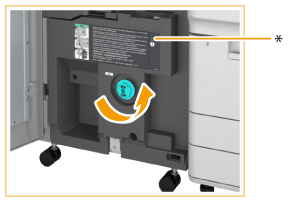
* Lamp
7
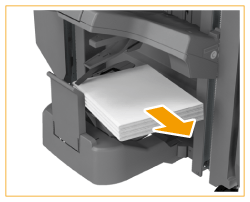
Remove the output paper from the booklet tray.
8
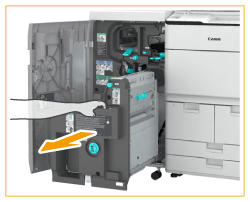
Pull out the saddle stitcher unit (F-C5).
9
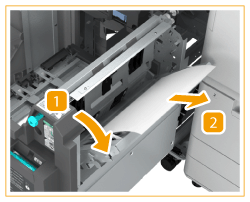
Remove the jammed paper from the right cover of the saddle stitcher unit (F-C6).
 |
|
Open the right cover (F-C6).
|
|
|
Remove the jammed paper.
|
|
|
|
Close the right cover (F-C6).
|
10
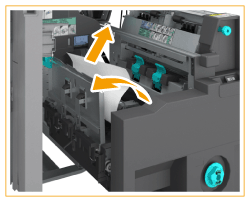
Open the delivery guide, and remove the jammed paper.
This procedure is not required if the Inner Booklet Trimmer-A1 is attached.
 |
|
Open the delivery guide, and remove the jammed paper.
|
|
|
Close the delivery guide.
|
11
Push the saddle stitcher unit (F-C5), and close the front cover of the finisher.
12
Follow the instructions on the touch panel display.
Resume the procedure that was interrupted.
