

0SU0-073
Install the e-Manual on your computer by using the CD-ROM that comes with the machine.
1
Insert the User Manual CD-ROM into the drive on the computer.
If the setup screen (initial language selection screen) does not appear, remove the CD-ROM from the drive and insert it again, or see Displaying the Setup Screen of User Manual CD-ROM.
2
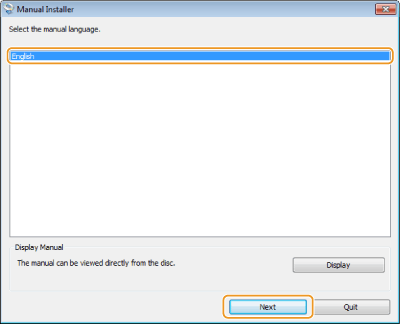
Select your language, and click [Next].
3
Follow the on-screen instructions to install the manual.
Viewing the e-Manual
Double-click the shortcut icon of the e-Manual on the desktop. Enable Java scripting in your browser before using the e-Manual.

|
NOTE
|
|
If a security warning message appears
Click [Allow blocked content].
 |
|
TIPS for Viewing the e-Manual Directly from the CD-ROM
|
||||
|
Depending on the operating system you are using, a security warning message may appear. If the message appears, allow the content to be displayed in your Web browser.
|
