

0WR6-0RF
Follow the procedure described in this section to clear the staple jam. The Staple Finisher-W1 PRO/Booklet Finisher-W1 PRO are optional. Optional Equipment
1
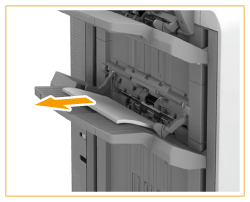
Remove the paper waiting to be stapled from the delivery tray.
2
Wait several seconds until the stapler unit stops moving.
Make sure that the stapler unit stops moving, and then proceed to the next step.
3
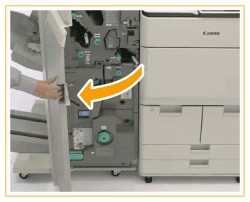
Open the front cover of the finisher.
4
Pull out the staple case from the stapler unit.
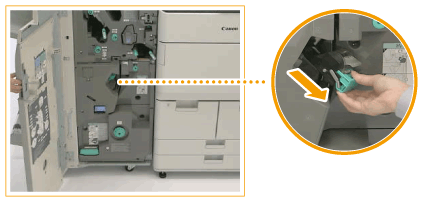
Pull it out by holding the green lever.
5
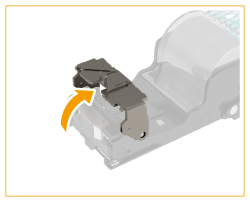
Push up the bracket on the staple case.
6
Remove all the jammed and protruding staples from the staple case.

7
Return the bracket on the staple case to its original position.
8
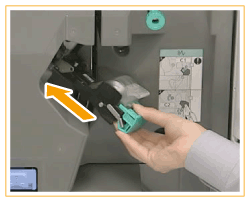
Hold the green lever, and push the staple case back into the stapler unit until it is securely in place.
9
Close the front cover of the finisher.
