





Problem Solving
> Clearing Paper Jams
> Front Cover of the Booklet Finisher-B1 (Optional)

| Front Cover of the Booklet Finisher-B1 (Optional) |
|
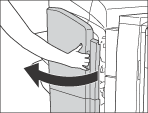
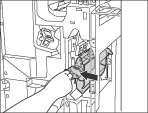
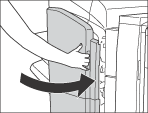
If a paper jam occurs inside the front cover of the Booklet Finisher-B1, a screen prompting you to remove the jammed paper appears on the touch panel display. Check the location of the paper jam, and follow the procedure described below, and the procedure that appears on the touch panel display, to remove the jammed paper. |
| Remark |
|
|
|||||
If the Document Insertion/Folding Unit-G1/Document Insertion Unit-J1 is attached, open the insertion unit. See "Optional Products Required for Each Function (imageRUNNER ADVANCE C7065/C7055)." |
|
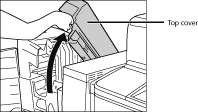
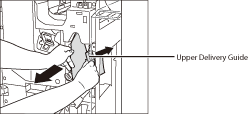
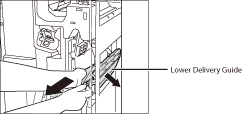
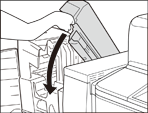
Springs are attached to the upper delivery guide, so it returns to its original position when released.
|
|
|
If you opened the insertion unit in step 1, gently push down the insertion unit back into its original position.
|
|
|