Problem Solving > Clearing Paper Jams > Paper Folding Unit-G1 (Optional)

*
Paper Folding Unit-G1 (Optional)

Return to Overview


If a paper jam occurs inside the Paper Folding Unit-G1, a screen prompting you to remove the jammed paper on the touch panel display. Check the location of the paper jam, and follow the procedure described below, and the procedure that appears on the touch panel display, to remove the jammed paper.


Remark
  • When removing jammed paper, take care not to cut your hands on the edges of the paper.
  • When removing paper which has become jammed inside the machine, take care not to cut your hands or injure yourself on the inside of the machine. If you cannot remove the paper, contact your local authorized Canon dealer.
  • Take care when handling the optional equipment that is attached to the machine. When an optional unit's cover is opened to replace a staple cartridge, discard punch waste, or clear paper or staple jams, prints may still be output if other optional units are operating normally, and are not involved in the paper or staple jam removal procedure.

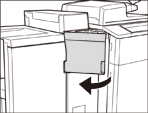
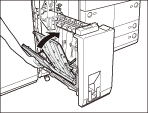
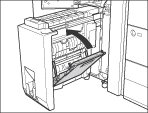
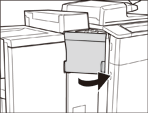
  1. Open the front cover of the paper folding unit.

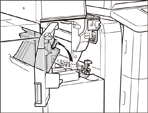
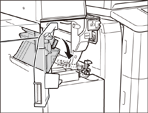
  1. Open the guide (M-A2).

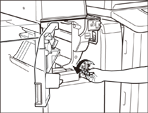
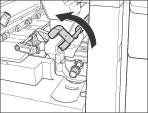
  1. Turn the dial (M-A3) in the direction of the arrow (counterclockwise).

  1. Remove any jammed paper.

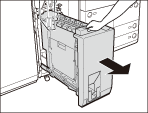
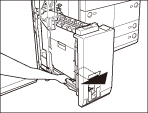
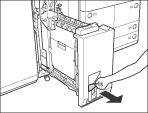
  1. Pull out the paper folding unit (M-B1).

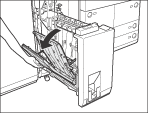
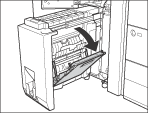
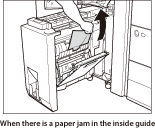
  1. Open the left guide (M-B2).

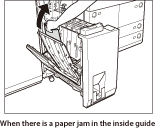
  1. Remove any jammed paper.

  1. Close the left guide (M-B2).

  • When closing the left guide, be careful not to get your fingers caught, as this may result in personal injury.
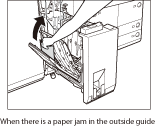
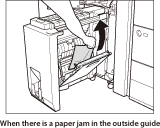
  1. Open the right guide (M-B3).

Open the guide as far as it can go.

  1. Remove any jammed paper.

  1. Close the right guide (M-B3).

  • When closing the right guide, be careful not to get your fingers caught, as this may result in personal injury.
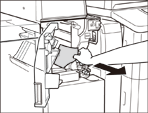
  1. Push out any jammed paper toward the exit slot.

  1. Remove the jammed paper.

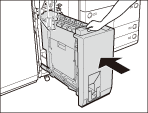
  1. Return the paper folding unit (M-B1) to its original position.

  • When returning the paper folding unit to its original position, be careful not to get your fingers caught, as this may result in personal injury.
  1. Close the guide (M-A2).

  • When closing the guide, be careful not to get your fingers caught, as this may result in personal injury.
  1. Close the front cover of the paper folding unit.

  • When closing the front cover of the paper folding unit, be careful not to get your fingers caught, as this may result in personal injury.
  • If the paper jam message is displayed even after the paper jam is cleared, check whether there is any paper left by opening the entrance guide.

  1. Follow the instructions on the touch panel display.
  • The screen indicating the location of the paper jam repeatedly appears on the touch panel display until the paper jam is entirely cleared. For more information, See"Screens Indicating the Locations of Paper Jams."

  • Back To Top