





Problem Solving
> Clearing Paper Jams
> Paper Deck Unit-A1/POD Deck Lite-A1 (Optional)

| Paper Deck Unit-A1/POD Deck Lite-A1 (Optional) |
|
If a paper jam occurs in the Paper Deck Unit-A1/POD Deck Lite-A1, a screen prompting you to remove the jammed paper appears on the touch panel display. Check the location of the paper jam, and follow the procedure described below, and the procedure that appears on the touch panel display, to remove the jammed paper. |
| Remark |
|
|
|||||
|
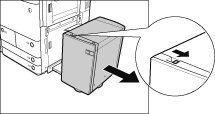
Paper can also be jammed in the feeding slot on the side of the main unit. Remove any jammed paper from the feeding slot.
|
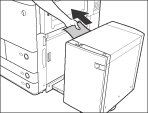
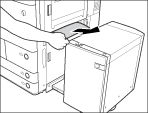
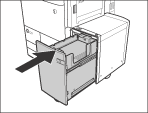
If the screen indicating the paper jam is no longer displayed after reconnecting the paper deck to the main unit, proceed to step 7.
|
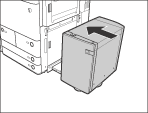
The inside lifter descends automatically.
|
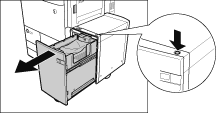
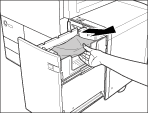
Look carefully, as jammed paper may be difficult to see.
|
|
|