| Editing User Data |
|
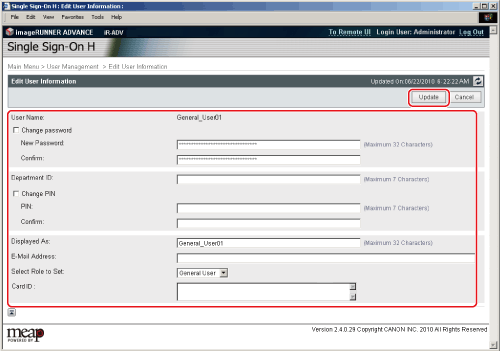
You can edit the data of registered users. We recommend that you export the edited user information for backup. (See "Exporting User Data.") |
| Remark |
|
|
|||||
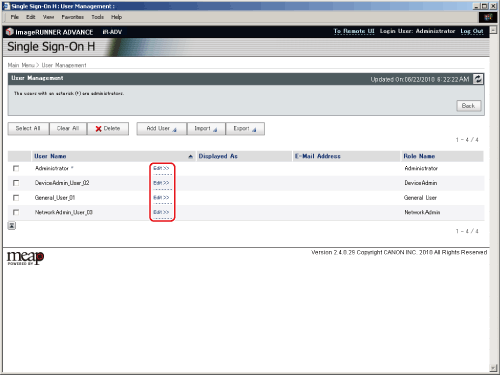
The [User Management] page is displayed. |
|
|






| Editing User Data |
|
You can edit the data of registered users. We recommend that you export the edited user information for backup. (See "Exporting User Data.") |
| Remark |
|
|
|||||
The [User Management] page is displayed. |
|
|