MEAP > Starting and Closing SMS > Logging in from the Remote UI Portal

*
Logging in from the Remote UI Portal

Return to Overview


This page describes the authentication required to login to the SMS from the Remote UI portal page.


Remark
  • For information on displaying the Remote UI portal page, see "Starting the Remote UI."
  • To login to the SMS from the Remote UI portal page, you need to access the Remote UI with administrator privileges.

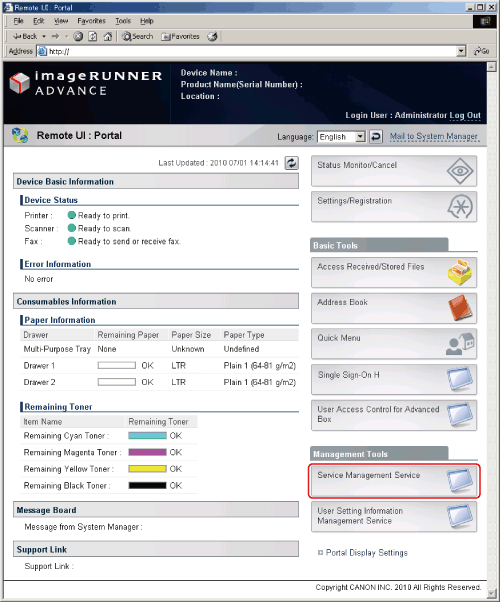
  1. Click [Service Management Service] on the Remote UI portal page.

  • If the settings to log in using the password for SMS are set:
  • If the settings to log in using the user name and password are set:

  • If the settings to log in using the password for SMS are set:

The [Login] page for SMS is displayed.

For subsequent steps, see "Logging in with the SMS Password."


  • If the settings to log in using the user name and password are set:

The [MEAP Application Management] page is displayed.


  • Back To Top