 |
|
|
IMPORTANT
|
|
This mode is only available for printing files stored in the memory media.
You can use this mode only when printing JPEG or TIFF files.
|
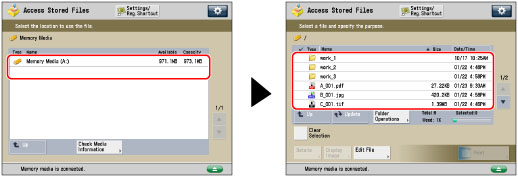
 (Main Menu) → [Access Stored Files] → [Memory Media].

|
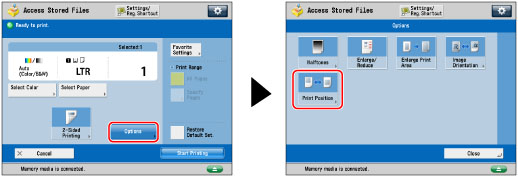
[Auto]:
|
If a print position is specified for the image data, it is printed as specified.
If no print position is specified, the image is printed in the center.
|
|
[Always Center]:
|
The image is printed in the center, even if another print position is specified.
|
|
[Always Top Left]:
|
The image is printed in the top left corner, even if another print position is specified.
|
