 |
|
|
Resolution
|
Gradation
|
Error Diffusion
|
 |
 |
 |
|
IMPORTANT
|
|
This mode is only available for printing files stored in the memory media.
You can use this mode only when printing JPEG, TIFF, or PDF files.
|
 (Main Menu) → [Access Stored Files] → [Memory Media].
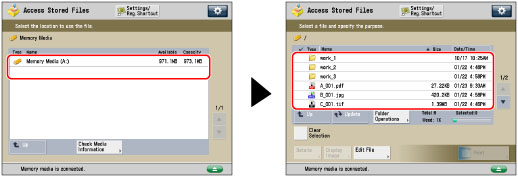


|
[Resolution]:
|
You can print files with the contours of text data and other fine lines clearly reproduced. This mode is optimal for printing data containing a lot of text or fine lines.
|
|
[Gradation]:
|
This mode enables you to print in even finer detail than the Resolution mode. You may however experience a slight drop in the integrity of the image quality. You can adjust this setting to smoothly print shapes and graphs using gradation.
|
|
[Error Diffusion]:
|
This mode enables you to print in even finer detail than [Resolution]. You may however experience a slight drop in the integrity of the image quality. This setting is optimal for printing files containing text and very fine lines or CAD data with sharpness and clarity.
|
