 |
|
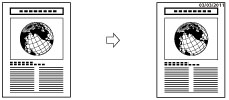
|
IMPORTANT
|
|
This mode can be used only for printing a file stored in a mail box.
|
 (Main Menu) → [Access Stored Files] → [Mail Box].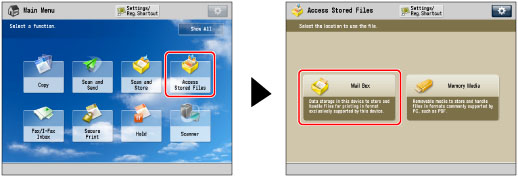
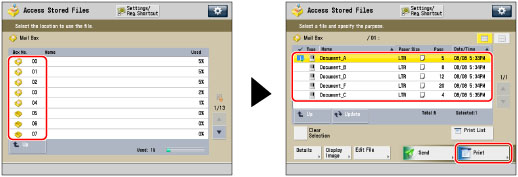


|
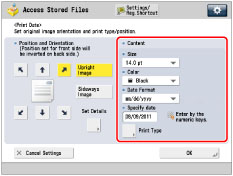
[Upright Image]:
|
Prints the image upright on the paper.
|
|
[Sideways Image]:
|
Prints the image sideways on the paper.
|
|
Upright Image
|
Sideways Image
|
||
 |
 |
 |
 |
|
NOTE
|
|
If you set any two of [Page Numbering], [Copy Set Numbering], or [Watermark] to print in the same position, a confirmation message appears when you press
 (Start). (Start). |
 -
-  (numeric keys).
|
NOTE
|
|
If no date is set, the date set in [Date/Time Settings] is printed. Confirm that the settings for [Date/Time Settings] are correct. (See "Current Date and Time.")
|
|
IMPORTANT
|
|
Printing performance may not be optimal, depending on the file content and combination of settings.
If you use [Print Date] with [Add Cover], [Insert Sheets], or [Job Separator], the watermark will not be printed on the inserted pages.
|
|
NOTE
|
|
The Date Printing mode cannot be used with files including images with resolutions of less than 600 x 600 dpi.
You can also adjust the position of the date. (See "Registering/Editing/Deleting User-Defined Text for Page Numbers and Watermarks.")
|
