 |
|
|
IMPORTANT
|
|
This mode can be used only for printing a file stored in a mail box.
|
 or
or  on the pop-up screen that appears while the machine is printing.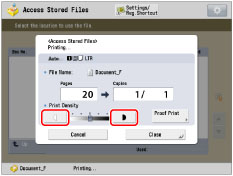
|
NOTE
|
|
If you adjust the density when scanning and storing an original into a mail box, the selected density may be modified by the machine if you select to merge the file when printing it.
You cannot adjust the density when CMYK format files are selected.
|
