Problem Solving
> Service Call Message
> Setting the Limited Functions Mode from the Service Call Message Screen

| Setting the Limited Functions Mode from the Service Call Message Screen |
|
If the Service Call Message screen appears indicating a malfunction of a Finisher mode, you can clear it by turning the Limited Functions Mode 'On' to temporarily limit the use of the finishing modes. However, after the Limited Functions Mode is deactivated, the Service Call Message screen may appear again, unless the cause of the malfunction is removed. |
| Remark |
|
|
|||||
|
A message prompting you press [Shutdown] and to turn the main power switch back ON appears. |
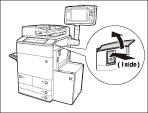
When operating the main power switch, open the main power switch cover.
|
 " side.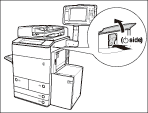
When operating the main power switch, open the main power switch cover.
The machine starts up in the Limited Functions mode. |