





Problem Solving
> Labels for Clearing Paper Jams
> (I) Document Insertion Unit-H1 (Optional)

| (I) Document Insertion Unit-H1 (Optional) |
|
If a paper jam occurs inside the Document Insertion Unit-H1, a label similar to the one shown below appears on the screen that displays the procedure to solve the problem. Follow [Operation Order] to clear the paper jam.
|
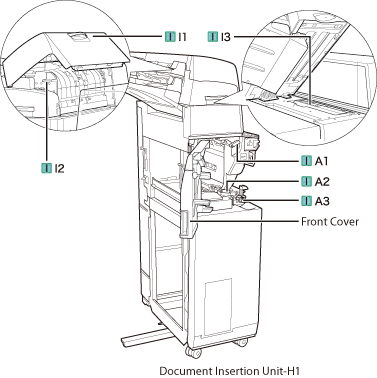
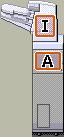
| Order* | Location(Label) |
| 1 | (I) I1 |
| 2 | (I) I2 |
| 3 | (I) I3 |
| 4 | Front Cover |
| 5 | (I) A1 |
| 6 | (I) A2 |
| 7 | (I) A3 |
| * | The order may differ from what you actually see. In this case, follow the instructions on the touch panel display. |