Security
> Department ID Management
> Accepting B&W Copy and Print Jobs without Entering a Department ID

| Accepting B&W Copy and Print Jobs without Entering a Department ID |
|
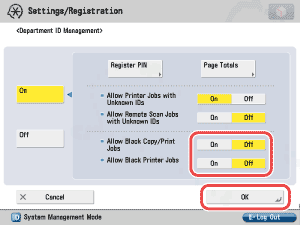
To "Settings/Registration Table" The Allow Black Copy/Print Jobs and Allow Black Printer Jobs modes enable you to restrict the machine to accept only black-and-white print jobs, and reject color print jobs without entering a Department ID and password. |
|
 (Settings/Registration) → [Management Settings] → [User Management] → [Department ID Management].
|
<Allow Black Copy/Print Jobs>:
<Allow Black Printer Jobs>:
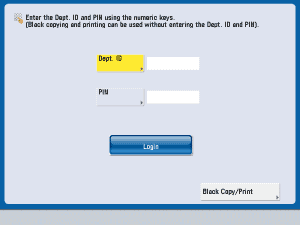
If you set [Allow Black Copy/Print Jobs] to 'On', [Black Copy/Print] appears on the screen for entering the Department ID and password.
To copy or print in black-and-white, press [Black Copy/Print].
|