Remote UI > Audit Log Management > Managing Logs > Checking the Number of Saved Logs and the Date/Time They Were Collected/Saved

*
Checking the Number of Saved Logs and the Date/Time They Were Collected/Saved

Return to Overview


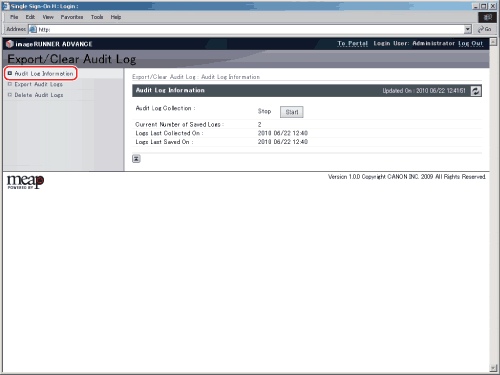
You can check the number of logs collected from the machine that are saved, and the date/time that they were collected/saved.


  1. Click [Settings/Registration] → [Device Management] → [Export/Clear Audit Log] → [Audit Log Information].

Details of each item are shown below.

[Current Number of Saved Logs]: Displays the number of logs that are currently saved.
[Logs Last Collected On]: Displays the date/time that a log was last collected from the machine.
[Logs Last Saved On]: Displays the date/time that a log collected from the machine was last saved.

  • Back To Top