| Gutter |
|
This setting enables you to set the page margin in inches. The settings can be set in increments of 0.01" from -1.90" through +1.90". Use [ Use [
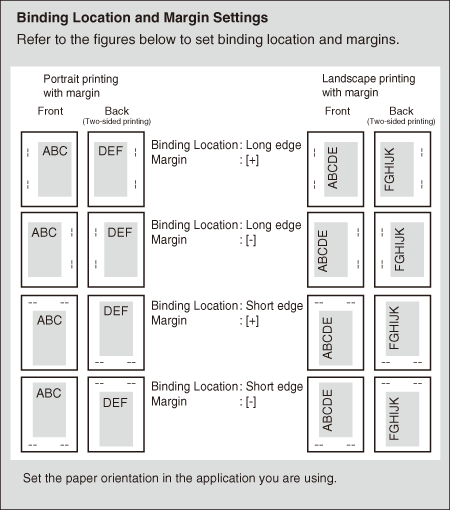
You can specify the edge along which the margin will be created in the 'Binding Location' setting (previous setting). To create a margin along one of the edges of the paper, use this setting in combination with the 'Binding Location' setting. |
 ] to increase the width of the inside margin.
 ] to increase the width of the outside margin.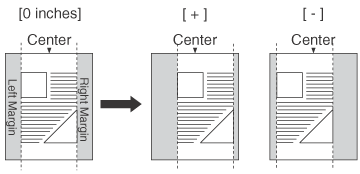
| Remark |
|
|
|||||
|
|