





Print
> Setting the Machine (PS/PCL/UFR II Printer)
> Checking and Changing Print Jobs
> Skipping an Error during Printing
> Handling a Job from the Secured Print Screen

| Handling a Job from the Secured Print Screen |
|
To bypass an error and continue printing from the Secured Print screen, follow the steps below. |
|

|
|
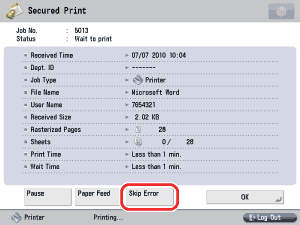
The screen returns to the Secured Print Screen. |