





MEAP
> Application Log Management
> Deleting Application Logs

| Deleting Application Logs |
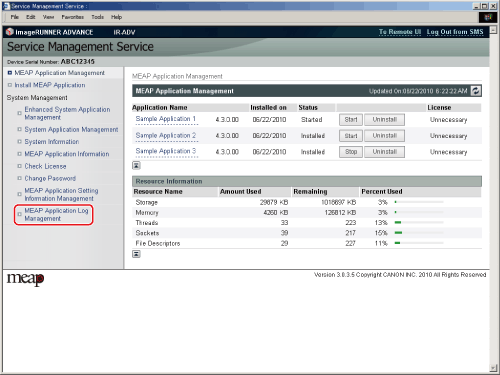
The [MEAP Application Log Management] page is displayed. |
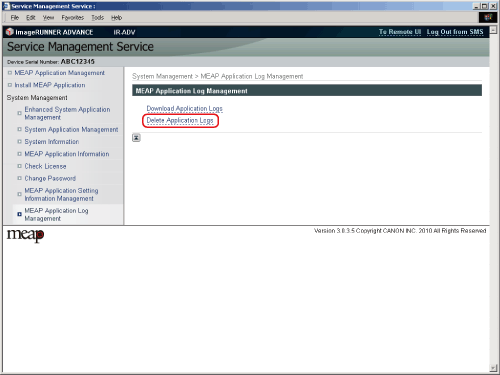
The [Delete Application Logs] page is displayed. The message <Are you sure you want to delete all application logs?> is displayed. |
If the deletion is successful, a message indicating that deletion is complete is displayed, and the display returns to the [MEAP Application Log Management] page. |