





MEAP
> Menu for Administrator
> Setting the Security for SSO-H
> Allowing Administrators to Operate Using the Default Password

| Allowing Administrators to Operate Using the Default Password |
|
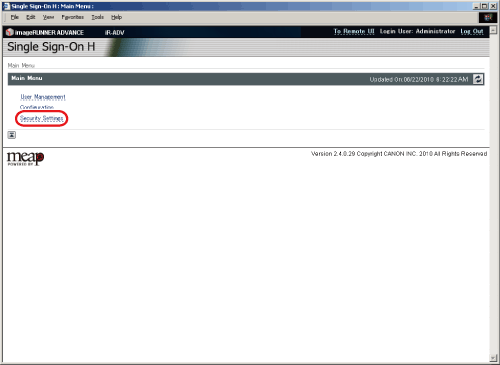
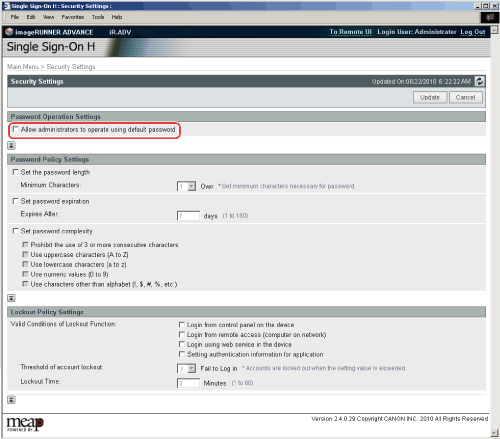
You can set the machine to not display the screen for changing the password when a System Administrator (Administrator) logs in to the machine using the default user name and password from the touch panel display. |
| Remark |
|
 |
|
||||
The [Security Settings] page is displayed. |
|
|