





MEAP
> Menu for Administrator
> Setting the Security for SSO-H
> Setting Password Restrictions
> Setting the Password Complexity

| Setting the Password Complexity |
|
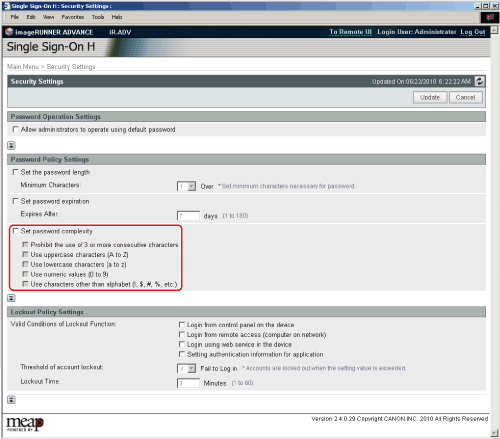
You can restrict the characters that can be used for passwords to prevent the simplification of passwords. |
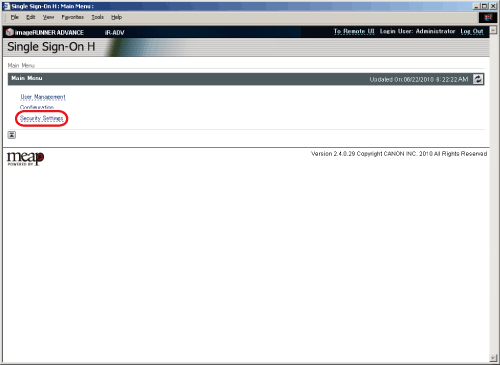
The [Security Settings] page is displayed. |
|
|