MEAP > Menu for Administrator > Setting the Security for SSO-H > Setting Password Restrictions > Setting the Password Length

*
Setting the Password Length

Return to Overview


You can set the minimum number of characters required when registering a password to prevent the simplification of passwords.


Remark
  • The minimum number of characters you can set is [1]. When a password length is set, a user cannot be registered with a blank password.

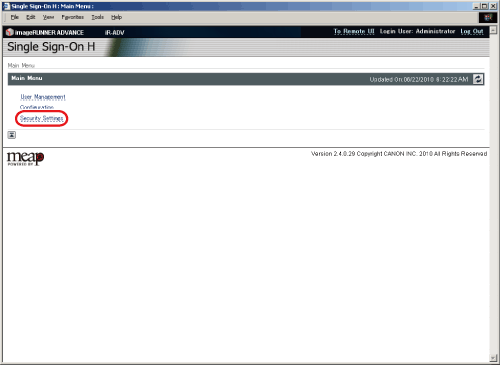
  1. Log in to MEAP Service → click [Security Settings].

The [Security Settings] page is displayed.

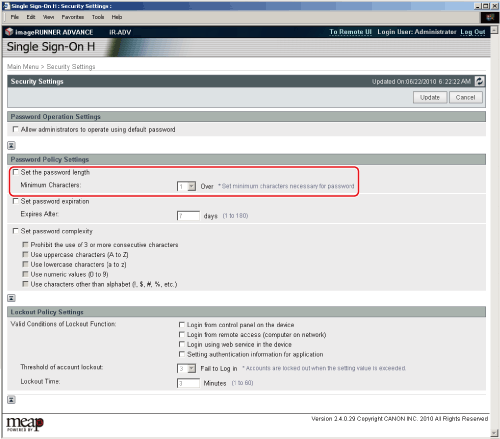
  1. Select [Set the password length] → set the minimum number of characters.

  • You must enter between 1 and 32 characters for the password.
  1. Click [Update].

  • Back To Top