MEAP > Installing System Applications
*
Installing System Applications

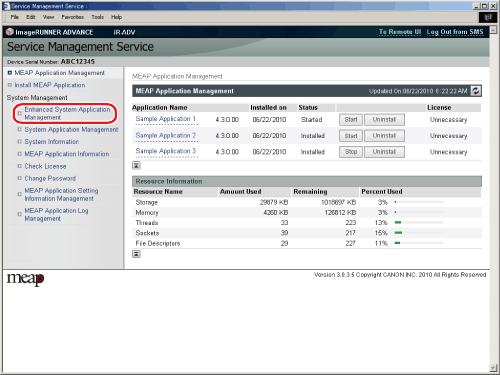
  1. Click [Enhanced System Application Management].

The [Enhanced System Application Management] page is displayed.

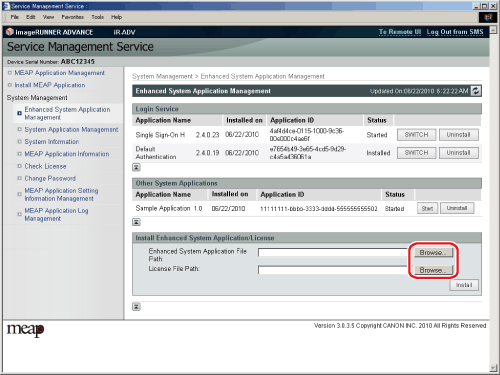
  1. Click [Browse] for [Enhanced System Application Management] → select the enhanced system application file and license file.

  • When installing a system application, you must specify both the application file and license file.
  • You can also specify the file paths of the application and license file by entering them directly.
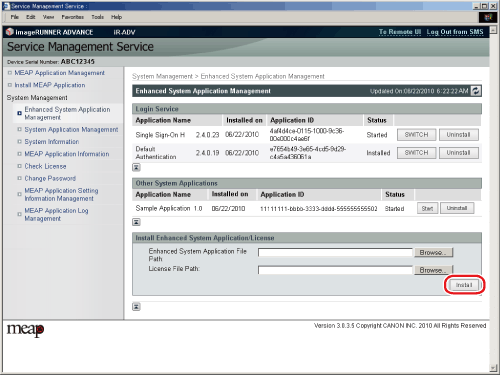
  1. Click [Install].

The message <Preparing to install...> is displayed.

  1. Confirm what will be installed → click [Yes].

Installation will start after the message <Installing... Please wait.> is displayed again.

  • Depending on the application, a software license agreement screen may be displayed. Confirm the information displayed on the screen → click [OK].

  • Back To Top