






| Uninstalling System Applications |
|
System applications are the basic applications that make up a MEAP system. |
| Remark |
|
 |
|||||
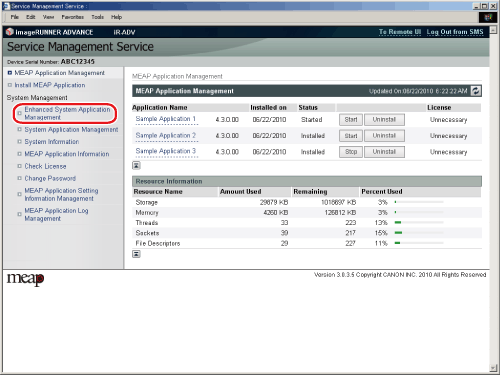
The [Enhanced System Application Management] page is displayed. |
|
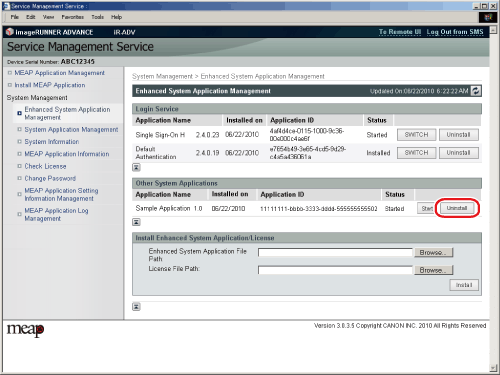
The application is uninstalled, and the [Enhanced System Application Management] page is displayed. |