MEAP > Starting/Stopping Applications > Stopping Applications

*
Stopping Applications

Return to Overview


Remark
  • To update an application, you must close the application you want to update.

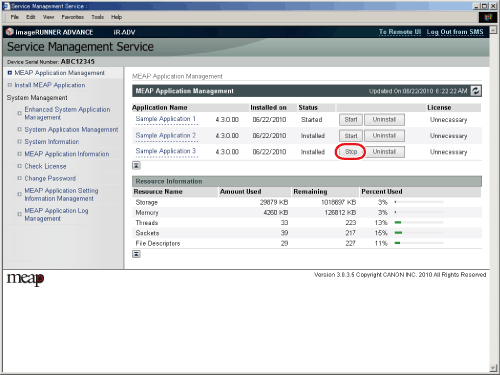
  1. Click [MEAP Application Management].

The [MEAP Application Management] page is displayed.

  1. Select the application you want to stop → click [Stop].

The application is stopped.

  • If you stop an application, it may be necessary to restart the machine to enable the driver settings of a USB device. Follow the instructions on the screen to restart the machine.

  • Back To Top