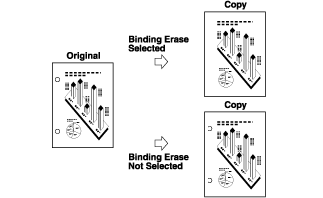
Copy > Frame Erase > Binding Erase
*
Binding Erase

Return to Overview


This mode erases the shadows that appear on copies from binding holes on originals.


Remark
  • Make sure you place your original on the platen glass. Do not place originals with binding holes in the feeder, as this may damage the originals.
  • When using the Binding Erase mode, the borders you do not select are also erased by 1/8" (4 mm).

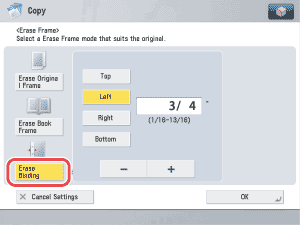
  1. Place your originals on the platen glass → press [Options] → [Erase Frame].
  1. Press [Erase Binding].

The border is where the binding holes are located on the original, if you visualize the original as being face up.

  1. Select the border where the binding holes are located → press [-] or [+] to set the frame erase width → press [OK].

  • Back To Top