Register all the devices that will use Print Services to Canon Business Imaging Online.
|
Required Privileges
|
|
[Administrator] role for Print Services
|
1.
Log in to Canon Business Imaging Online.
For more information, see
"Logging In".
2.
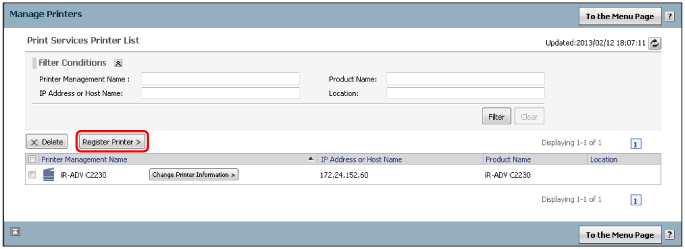
On the [Home] screen, click [Manage Printers].
3.
Click [Register Printer].
4.
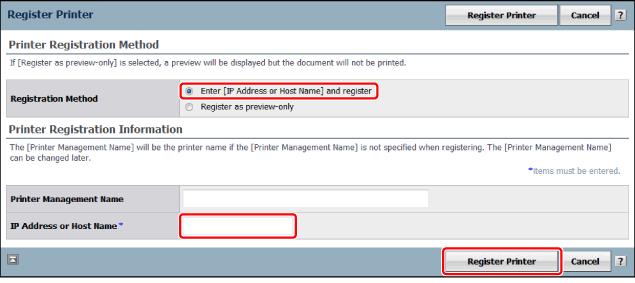
Select [Enter [IP Address or Host Name] and register] → enter [IP Address or Host Name] → click [Register Printer].