Device Login Service Federation Settings
Associate the user ID of Canon Business Imaging Online with the user name authenticated in the login service of the device to also log in to the device when you log in to Canon Business Imaging Online.
|
Required Privileges
|
|
[Administrator] role for Print Services
|
1.
Log in to Canon Business Imaging Online.
For more information, see
"Logging In".
2.
On the [Home] screen, click [Device Login Service Federation Settings].
3.
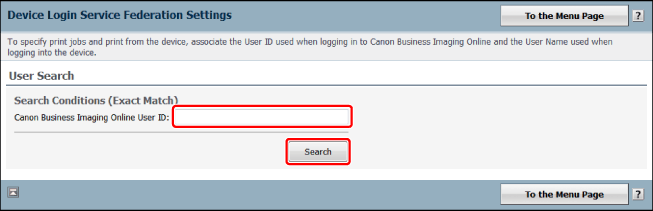
Enter [Canon Business Imaging Online User ID] → click [Search].
4.
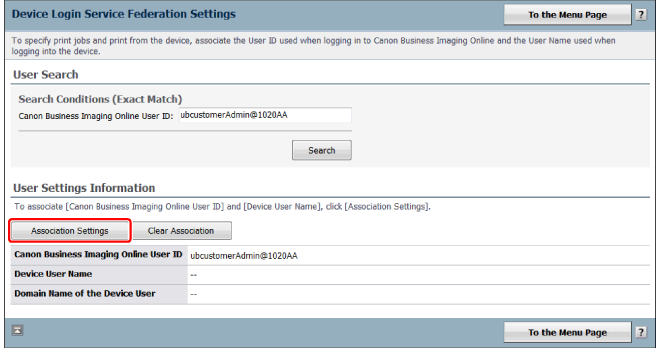
Click [Association Settings].
5.
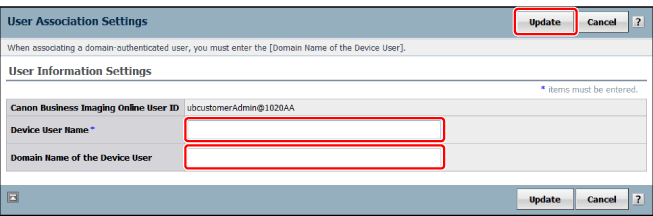
Enter [Device User Name] and [Domain Name of the Device User] → click [Update].
6.
Perform steps 1 to 5 for all users that will print forms, as necessary.