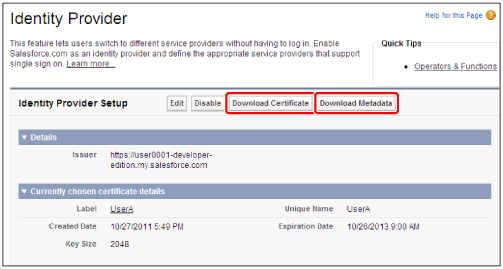
First, settings must be changed in Salesforce.
|
IMPORTANT
|
|
If you have already performed the following operations, do to perform them again.
|
1.
Log in to Salesforce.
2.
Select [Setup] from the user menu.
3.
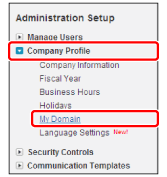
Select [Company Profile] in [Administration Setup ] → [My Domain].
4.
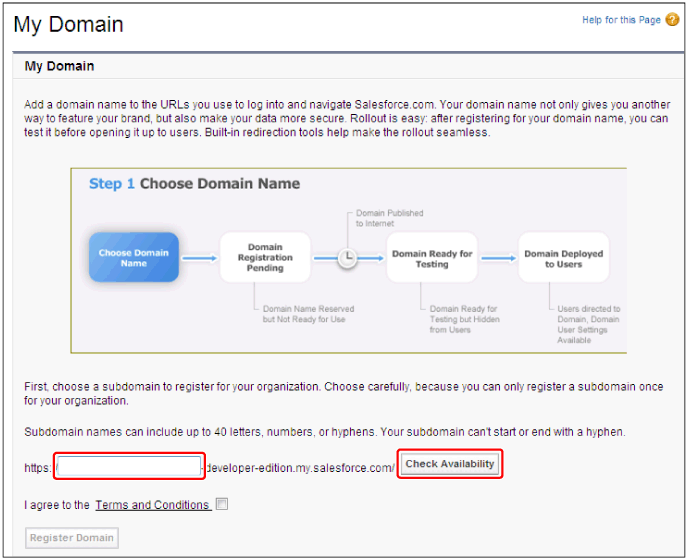
Enter the subdomain name candidate → click [Check Availability].
For information on subdomain name restrictions, see the instructions on the screen.
If the subdomain name you enter cannot be used, change the string to see whether it can be used, and repeat until you find one that can be used.
5.
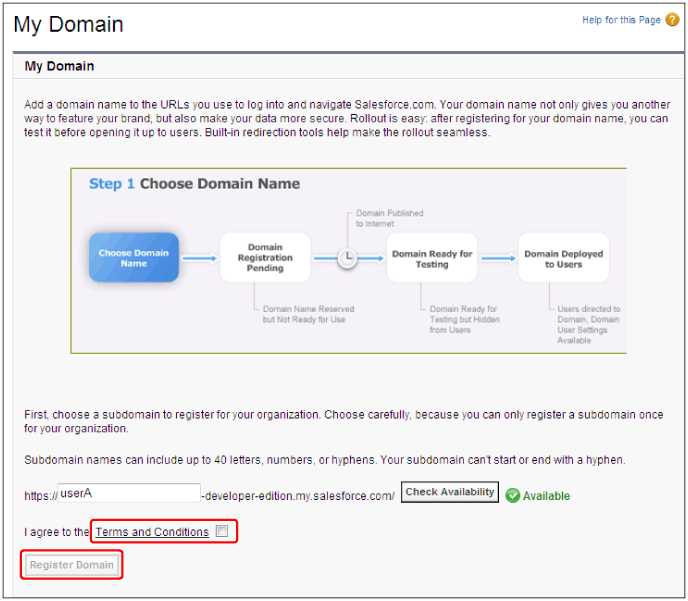
Select [Terms and Conditions] → click [Register Domain].
A domain registration complete e-mail will be sent in several (one to three) days.
6.
Log in to Salesforce → select [Setup] from the user menu.
7.
Select [Company Profile] → [My Domain].
8.
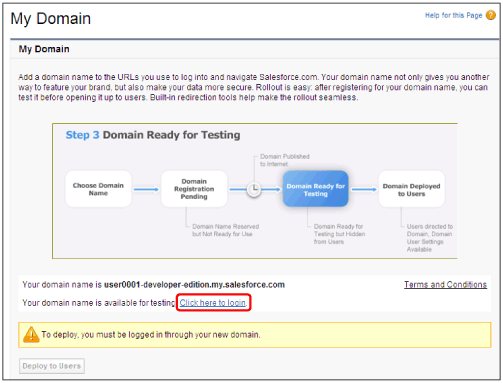
Click [Click here to login].
9.
Log in to Salesforce → select [Setup] from the user menu.
10.
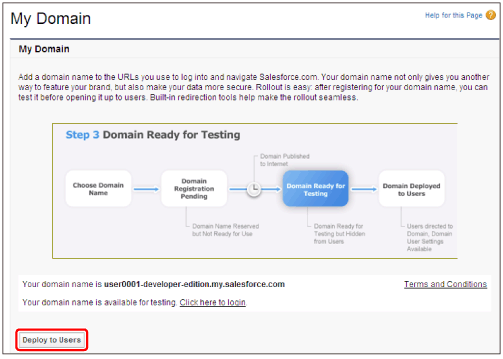
Click [Deploy to Users].
11.
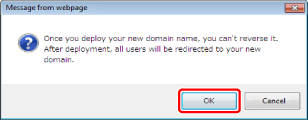
Click [OK].
12.
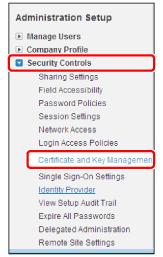
Select [Security Controls] in [Administration Setup ] → [Certificate and Key Management].
13.
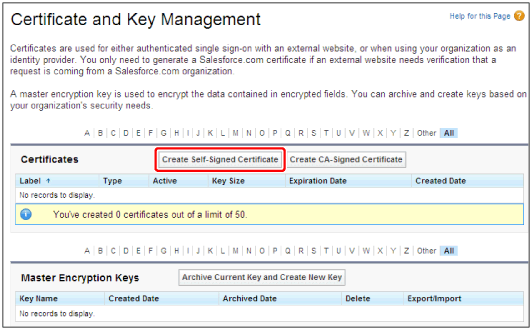
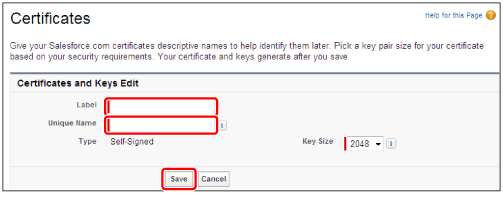
Click [Create Self-Signed Certificate].
14.
Enter [Label] and [Unique Name] → click [Save].
15.
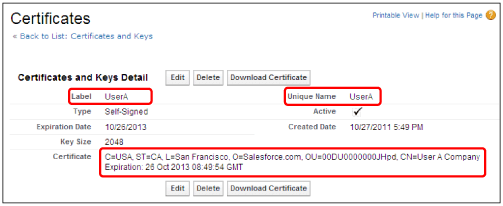
Confirm [Label] and [Unique Name] → confirm that a value is set in the CN attribute of [Certificates].
16.
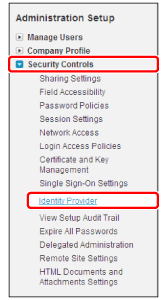
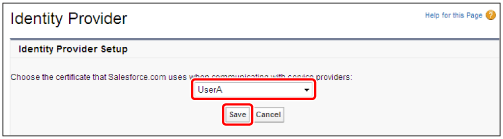
Select [Security Controls] in [Administration Setup ] → [Identity Provider].
17.
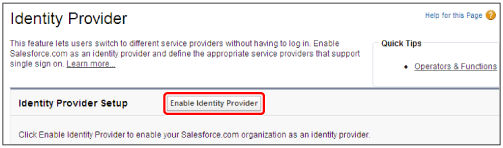
Click [Enable Identity Provider].
Perform this operation after confirming that [My Domain] is enabled.
18.
Select the created self-signed certificate → click [Save].
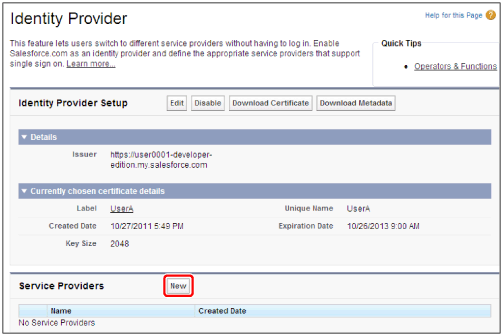
19.
Click [New].
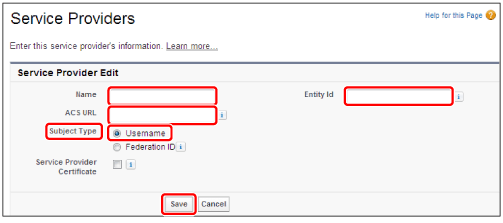
20.
Enter each item → click [Save].
|
Item
|
Setting
|
|
[Name]
|
Enter a name of your choice.
Enter a name that enables you to identify Canon Business Imaging Online.
|
|
[Entity id]
|
Enter "https://auth.a01.c-aas.com".
|
|
[ACS URL]
|
Enter "https://auth.a01.c-aas.com/auth/Saml/SP/SSO/Post".
|
|
[Subject Type]
|
Select [Username].
|
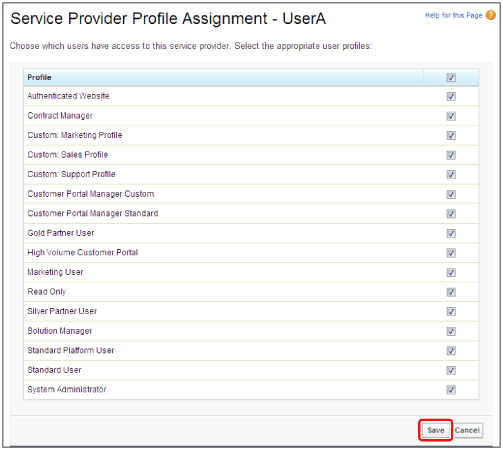
21.
Select all users → click [Save].
22.
Select [Security Controls] in [Administration Setup ] → [Identity Provider].
23.
Click [Download Certificate] → save the certificate file → click [Download Metadata] → save the metadata.