Registering a Trusted IP Address
In Salesforce, register the IP address of the Forms Services server (202.248.112.38) as a trusted IP address.
1.
Log in to Salesforce.
2.
Select [Setup] from the user menu.
3.
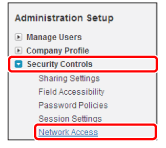
Select [Security Controls] → [Network Access].
4.
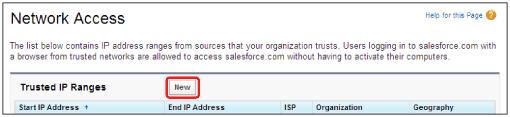
Click [New].
5.
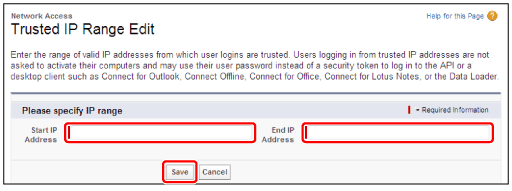
Enter [202.248.112.38] in [Start IP] and [End IP] → click [Save].