Register the forms to use for outputting data from Salesforce.
|
Required Privileges
|
|
[Administrator] Role for Forms Services
|
1.
Log in to Canon Business Imaging Online.
For more information, see
"Logging In".
2.
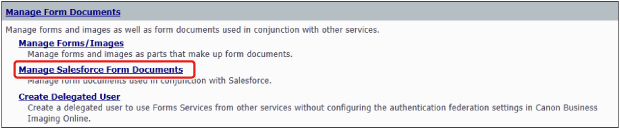
On the [Home] screen, click [Manage Salesforce Form Documents] in [Manage Form Documents].
3.
Select a registration method for [Printer Registration Method].
To Select Forms from the Sample Forms
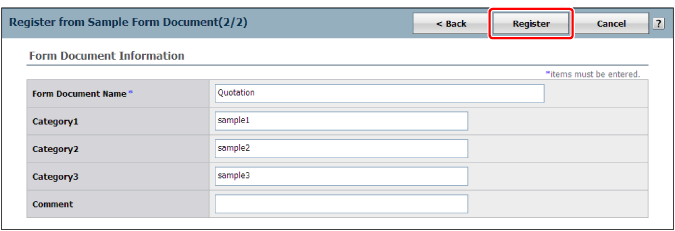
Click [Register from Sample Form Document].
Select a form in the list → click [Next].
You can select a form in the list and click [Preview Sample Form Document] to display a preview.
Click [Register].
To Use Forms Managed in [Manage Forms/Images]
Click [Register from Existing Form].
Follow the instructions on the screen.
To Use Forms Not Yet Registered to Forms Services
Click [Register from New Form].
Follow the instructions on the screen.